Help Desk Software for Construction Companies
Help desk software built for construction companies with multi-site field operations. Jitbit gives your office one ticketing system for IT, equipment, safety, and field requests across every job site — with mobile apps that work from the trailer and flat-rate pricing that doesn't charge per field worker. Trusted by 75+ construction and real estate companies.
21-day trial · No credit card required
Pricing That Works for Construction
Per-agent help desks charge $89+ per seat — that's $800+/mo for a 9-person office team. Jitbit covers all 9 for $249/mo flat. Unlimited end-users, so field crews, subs, and vendors submit tickets without extra cost. See pricing.
Works From the Job Site, Not Just the Office
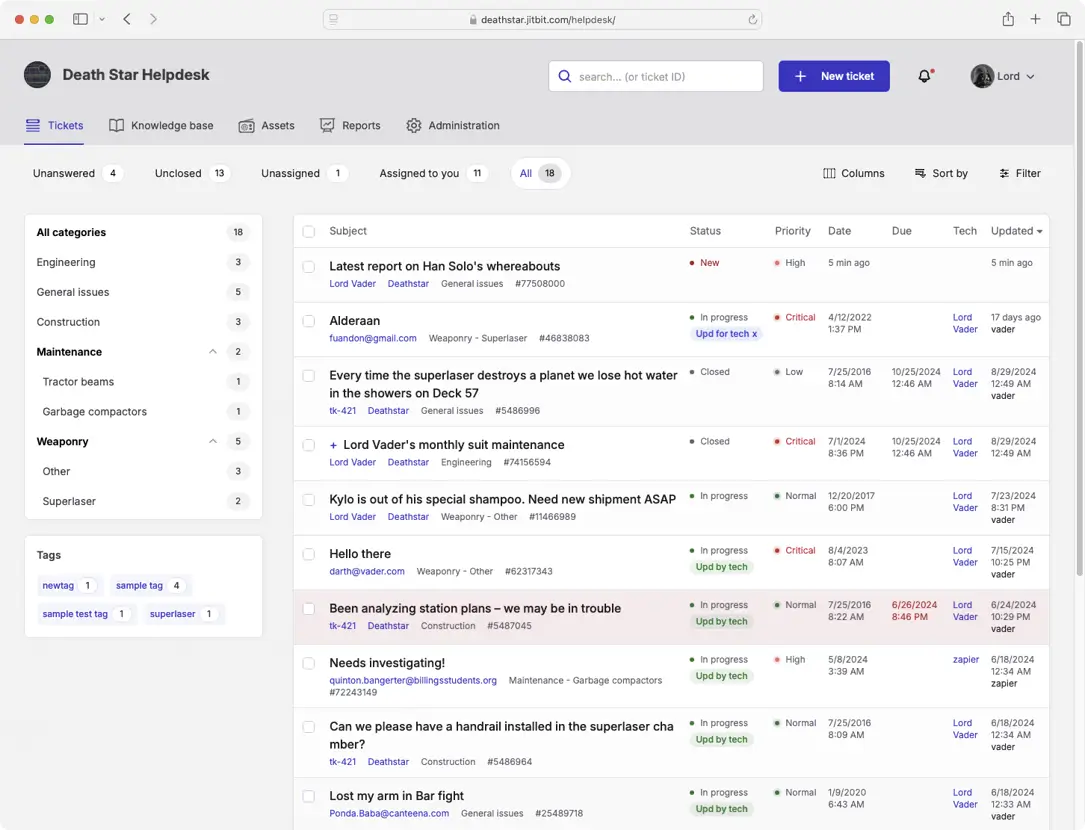
Your superintendent doesn't sit at a desk. Jitbit's iOS and Android apps let field teams submit and track requests from the trailer or the site. Snap a photo of the problem, attach it to the ticket, done. Email works too — send an email, get a ticket.
Set Up Today, Not Next Quarter
Most teams are resolving tickets within an hour of signing up. Connect your Exchange, O365, or IMAP mailbox, invite your office team, done. No implementation consultants. No six-month rollout.
How Construction Ticketing Works on Job Sites
Submit From the Field
A super sees a broken loader. They pull out their phone, snap a photo, and email it to your support address. A ticket is created automatically — no portal login, no app download required.
Auto-Route to the Right Team
Automation rules send equipment issues to the fleet manager, IT requests to the admin team, safety reports to the safety director. Each team sees only their tickets.
Track to Resolution
Everyone can see status in real time. No more "did you get my email?" calls. The office tracks response times, spots patterns, and keeps an audit trail for compliance.
One Ticketing System for Every Construction Department
IT Support
Laptop issues, VPN access, software requests. Route by office vs. job site.
Equipment & Fleet
Breakdown reports, maintenance requests, vehicle issues. Attach photos from the field.
Safety & Compliance
Incident reports, near-miss logging, hazard documentation. Audit trail for OSHA.
Facilities & Maintenance
Office HVAC, trailer setup, yard and storage issues. Track work orders without a separate tool.
HR & Payroll
Timecard corrections, new hire setup, certification tracking. Keep HR tickets separate from IT.
Subcontractor Coordination
Site access requests, COI tracking, vendor portal issues. Subs submit via email at no extra cost.
Construction Help Desk FAQ
- Can field workers submit tickets from their phone?
- Do we pay per user?
-
No. Jitbit uses flat-rate pricing. You pay for the office staff handling tickets (agents), not the people submitting them. Field workers, subcontractors, and vendors all submit tickets for free — unlimited end-users on every plan. A 9-agent team pays $249/mo on our Enterprise plan, compared to $800+ at competitors charging $89+/agent. See pricing.
- Can different departments have separate queues?
-
Yes. You can create categories for each department (IT, Equipment, Safety, HR, etc.), assign agents to specific categories, and set up automation rules to route tickets automatically. Each team only sees their own tickets.
- How long does setup take?
-
Most teams are live within an hour. Sign up, connect your support email (we support Exchange, Office 365, IMAP, and SMTP), invite your agents, and you're ready. No implementation project required.
- Can we attach photos from the job site?
-
Yes. Photos and files can be attached from email, the mobile app, or the web portal. Field workers typically snap a photo and email it in — the photo attaches directly to the ticket. Useful for equipment damage, safety hazards, and delivery issues.
- Do subcontractors and vendors need licenses?
-
No. Subcontractors, vendors, and field workers submit tickets as end-users — unlimited on every plan. Only your office staff who handle and resolve tickets need agent licenses. A typical general contractor with 9 office agents and hundreds of field and sub contacts pays $249/mo total. See pricing.
- Do you have a self-hosted option?
-
Yes. Our on-premise version installs on your Windows servers with MS SQL Server. You get full control over your data, network access, and security policies. Source code is available for organizations that need deep customization.
- Do you support Active Directory and SSO?
-
Yes. We support Active Directory integration and SAML 2.0 for single sign-on. Your team logs in with their existing credentials — no separate passwords to manage.
- Does Jitbit integrate with construction management software?
-
Jitbit integrates with Zapier, Microsoft Power Automate, and has a REST API for custom integrations. Teams use these to connect to Procore, PlanGrid, and other project management tools. We also integrate natively with Slack, Microsoft Teams, Jira, and GitHub.
- What happens when the trial ends?
-
Your data stays intact for 3 months. When you upgrade to a paid plan with the same email, your trial instance converts to paid with all data preserved. No setup fees, no hidden charges.
Your field crews will actually use this one
See why 75+ construction companies chose Jitbit over overcomplicated help desks that nobody on the job site wants to open.
Not in construction? See all industries