Helpdesk Software for Schools - IT Ticketing for K-12 and Universities
School IT departments handle hundreds of requests every week - broken laptops, login resets, projector failures, network outages, software installs - and most of them arrive via hallway conversations, sticky notes, or buried email threads. Helpdesk software for schools replaces that chaos with a single ticketing system where every request is tracked, prioritized, and resolved.
Jitbit Helpdesk was built with educational environments in mind. It is simple enough for teachers and students to use from day one, powerful enough to manage complex campus IT operations, and priced so that schools of any size can afford it.
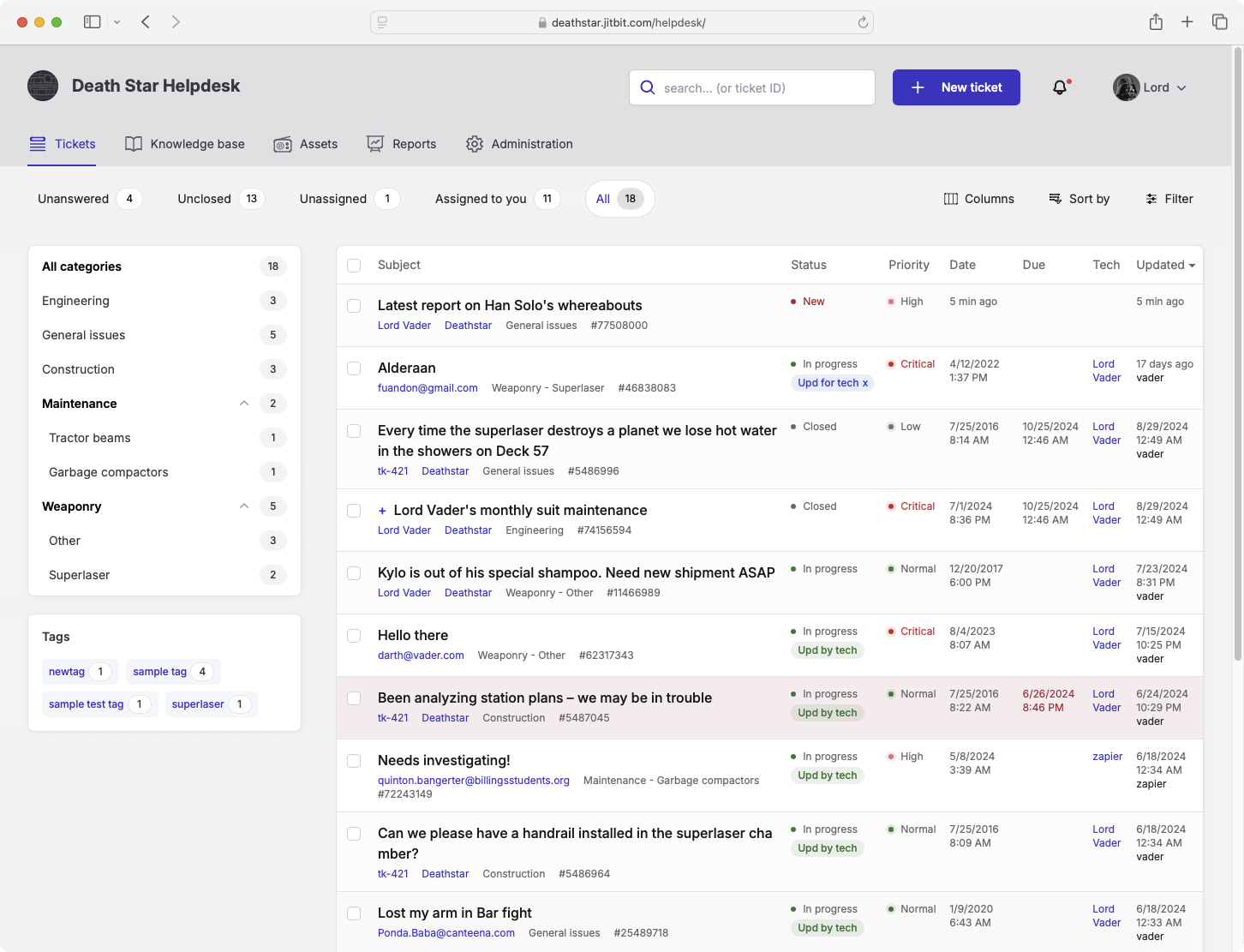
Why Schools Need Dedicated Helpdesk Software
Schools maintain some of the most demanding IT environments anywhere. Hundreds or thousands of devices spread across classrooms, labs, and offices. Users who range from tech-savvy administrators to kindergarteners touching a Chromebook for the first time. Strict budgets with zero room for overpriced enterprise tools.
Without a proper ticketing system, school IT teams face predictable problems:
- Lost requests - Teachers report issues verbally or via email, and things fall through the cracks when the IT staff is pulled in five directions.
- No prioritization - A broken projector before a parent-teacher night should outrank a routine software update, but without a system, everything competes for attention equally.
- No accountability - When there is no ticket trail, it is impossible to know who handled what, how long it took, or whether it was actually resolved.
- Repeated problems - The same printer jams, the same login errors, the same Wi-Fi dead zones - without data, IT teams fix symptoms instead of root causes.
Helpdesk software for schools solves every one of these problems by giving your IT team a central place to receive, triage, and resolve requests with full visibility.
What Makes Jitbit the Right Help Desk for Education
Not every helpdesk app is a good fit for schools. Most are built for SaaS companies or large enterprises, and they come loaded with features your team will never use - at prices that blow through your budget. Here is why Jitbit is different.
Simple Enough for Everyone on Campus
The greatest advantage of Jitbit Helpdesk is that it is genuinely easy to use. There is no learning curve, no mandatory training sessions, no 50-page admin guide. Teachers, office staff, and even students can submit a ticket in under a minute. Your IT team sees everything in a clean, fast interface designed for technicians who need to move quickly - not wade through dashboards.
Flat Pricing That Schools Can Actually Afford
Most helpdesk vendors charge per agent. That pricing model punishes schools, where you might have a small IT department but need multiple staff members triaging requests across different buildings or campuses. Jitbit uses flat tier-based pricing - whether your school has 5 IT staff or 50, the cost stays the same within your tier. We also offer a 10-15% educational discount on top of that.
Asset Tracking Built In
Schools manage thousands of devices: classroom computers, student Chromebooks, lab equipment, printers, interactive whiteboards, and networking gear. Jitbit includes built-in asset tracking so you can catalog every device, assign it to a user or location, and link it directly to support tickets. When a teacher reports that "the printer in Room 204 is broken," you immediately see the device's full history - past issues, repairs, and age - right inside the ticket.
Email Integration for Effortless Ticket Submission
Teachers are busy. They should not have to learn a new system just to report a problem. With Jitbit's email-to-ticket integration, staff can simply send an email to your IT address (like support@yourschool.edu), and it automatically becomes a tracked ticket. Replies happen over email too - your staff may never need to log in to the app directly.
Knowledge Base for Common Issues
How do I connect to the school Wi-Fi? How do I reset my password? How do I install the approved browser? These questions come in every single day. Jitbit's built-in knowledge base lets you publish answers to common questions, so teachers and students can find solutions themselves. That means fewer tickets for your team and faster resolutions for everyone.
Automation Rules and SLAs
Set up automation rules to handle repetitive tasks automatically. Route tickets from specific buildings to the right technician. Escalate anything that has been open longer than 24 hours. Auto-respond to common requests with knowledge base links. Jitbit's automation engine lets a small school IT team operate like a much larger one.
How Schools Use Jitbit Helpdesk
Helpdesk software for schools is not limited to traditional IT support. Here are the most common use cases we see across K-12 districts and universities:
- IT support tickets - The core use case. Hardware failures, software issues, account management, and network problems.
- Facilities and maintenance requests - Broken desks, HVAC issues, lighting problems. Maintenance teams can use the same ticketing system.
- Student and parent inquiries - Universities use Jitbit to manage admissions questions, financial aid requests, and general student services.
- Internal staff requests - HR questions, onboarding new teachers, ordering supplies - any process that benefits from tracking and accountability.
- Device management - Track Chromebook assignments, repairs, and replacements across entire student populations using asset tracking.
Cloud-Hosted or Self-Hosted - Your Choice
Jitbit offers both a cloud-hosted help desk (SaaS) and a self-hosted version you install on your own server. Many school districts prefer the cloud version because it eliminates server management entirely - we handle hosting, backups, security patches, and updates. But if your district requires on-premise data storage for compliance reasons, the self-hosted option gives you full control.
Both versions include the same features: ticketing, asset tracking, knowledge base, automation, reporting, and mobile access for technicians on the move between buildings.
Security and Compliance for Education
Schools handle sensitive student data, and your helpdesk needs to take that seriously. Jitbit's cloud infrastructure runs on Amazon AWS with SSL encryption, daily backups, and regular penetration testing. We maintain strict privacy policies and can assist with FERPA compliance requirements. For schools that need additional data controls, our self-hosted version keeps everything within your own network.
Getting Started Is Fast
You do not need weeks of planning or a dedicated implementation team. Sign up, invite your IT staff, and start managing tickets the same day. Jitbit's single sign-on integrates with Google Workspace and Active Directory - the same identity providers your school already uses - so there is no separate account for anyone to manage.
See also: cloud-based support ticket system | online support ticketing system | help desk software for Google Apps
Features
9 reasons to choose Hosted Zendesk vs. Jitbit What is SaaS Active Directory Authentication Cloud Help Desk Free Email account and more Authentication API Online Ticketing System Benefits Single Sign On SLA and Help Desk Automation Helpdesk API Helpdesk for your industryResources
Customer reviews User guide FAQ What's new Version history Free trial Pricing