Help Desk Knowledge Base Software | Jitbit
Jitbit Helpdesk combines ticketing and knowledge base software in one system. Customers can find answers before opening a ticket, agents can insert approved articles into replies, and resolved tickets can become new help articles with a single click. The result is lower support costs, fewer repeat questions, and more consistent answers across your team.
Because the knowledge base lives inside the help desk, it is connected to the same customer portal, email ticketing system, ticket history, permissions, and analytics your agents already use.
Help Desk Knowledge Base Software: What You Get
| Capability | How Jitbit handles it |
|---|---|
| Self-service articles | Publish searchable FAQs, troubleshooting guides, and internal procedures inside the same portal where users submit tickets. |
| Ticket deflection | Suggest relevant knowledge base articles while users type a ticket, so common issues can be solved before they reach the queue. |
| Agent suggestions | Show technicians relevant articles inside the ticket view so replies are faster and more consistent. |
| AI indexing | Jitbit's AI can auto-answer tickets based on your KB content. |
| Ticket-to-article publishing | Turn a resolved ticket into a draft knowledge base article, then edit, tag, and publish it for future use. |
| Public and private content | Keep customer-facing help separate from technician-only documentation, with category-level permissions when needed. |
| Knowledge base analytics | Track article views, popular searches, and searches with no results so your team knows what to document next. |
Easy-to-Use Knowledge Base Editor
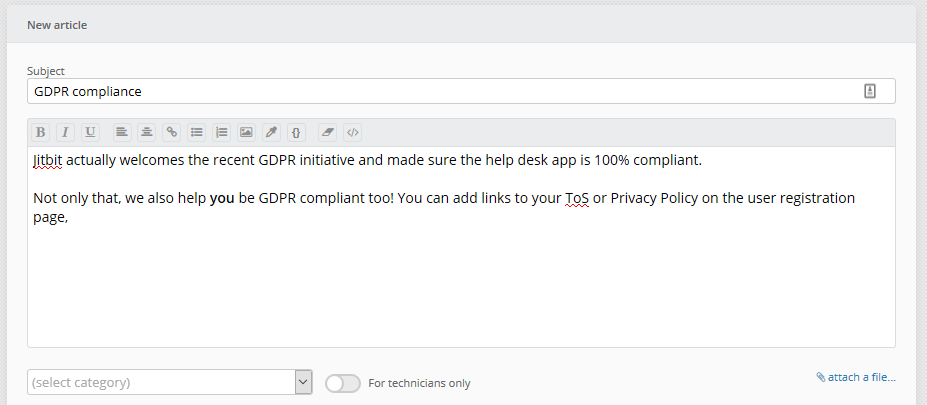 Creating knowledge base articles in Jitbit is straightforward. Use the built-in rich-text editor to write guides, attach files, and insert images. Even better, you can publish a resolved ticket to the knowledge base with a single click. From there, edit the resulting article to add images, remove sensitive information, tag it, or assign it to a category so your users can find it easily.
This "ticket-to-article" workflow means your knowledge base grows organically from real support interactions, ensuring the content is always relevant to the questions your customers actually ask.
AI-Powered Article Suggestions
When a user starts submitting a ticket and types into the "subject" field, Jitbit automatically pulls relevant suggestions from your knowledge base. Answer a question once, publish it, and never answer it again. We use this feature ourselves every day, and it consistently deflects tickets before they reach an agent.
Under the hood, we use a sophisticated AI-powered suggestion algorithm built on modern NLP (natural language processing) technology. It analyzes article content, examines your knowledge base tags, and ranks suggestions by relevance so users see the most helpful articles first.
The helpdesk software also suggests relevant articles to support agents, not just end-users. Agents can embed a knowledge base article directly into their response or insert a link, which speeds up reply times and keeps answers consistent across your team.
Public and Private Knowledge Base Articles
Jitbit gives you full control over knowledge base visibility. You can maintain both public-facing articles for customers and private articles visible only to technicians and administrators. Use the private side as your company's internal wiki to store procedures, troubleshooting guides, and institutional knowledge that your entire team can search and reference.
For even more granular control, you can mark a knowledge base category as "for specific users only." Only those users will be able to browse and search articles in that category, which is ideal for role-based documentation or client-specific content.
Knowledge Base Notifications
Keep your team informed automatically. Jitbit sends email notifications whenever you add or update an article. Notifications go to all technicians who have access to that article's category. Simply enable the "Notify technicians when a KB article is created or updated" setting in Admin - Email Settings.
End-users can also subscribe to individual articles or entire categories to receive updates. This is particularly useful for product documentation, release notes, or policy pages that change over time.
Built-In Knowledge Base Analytics
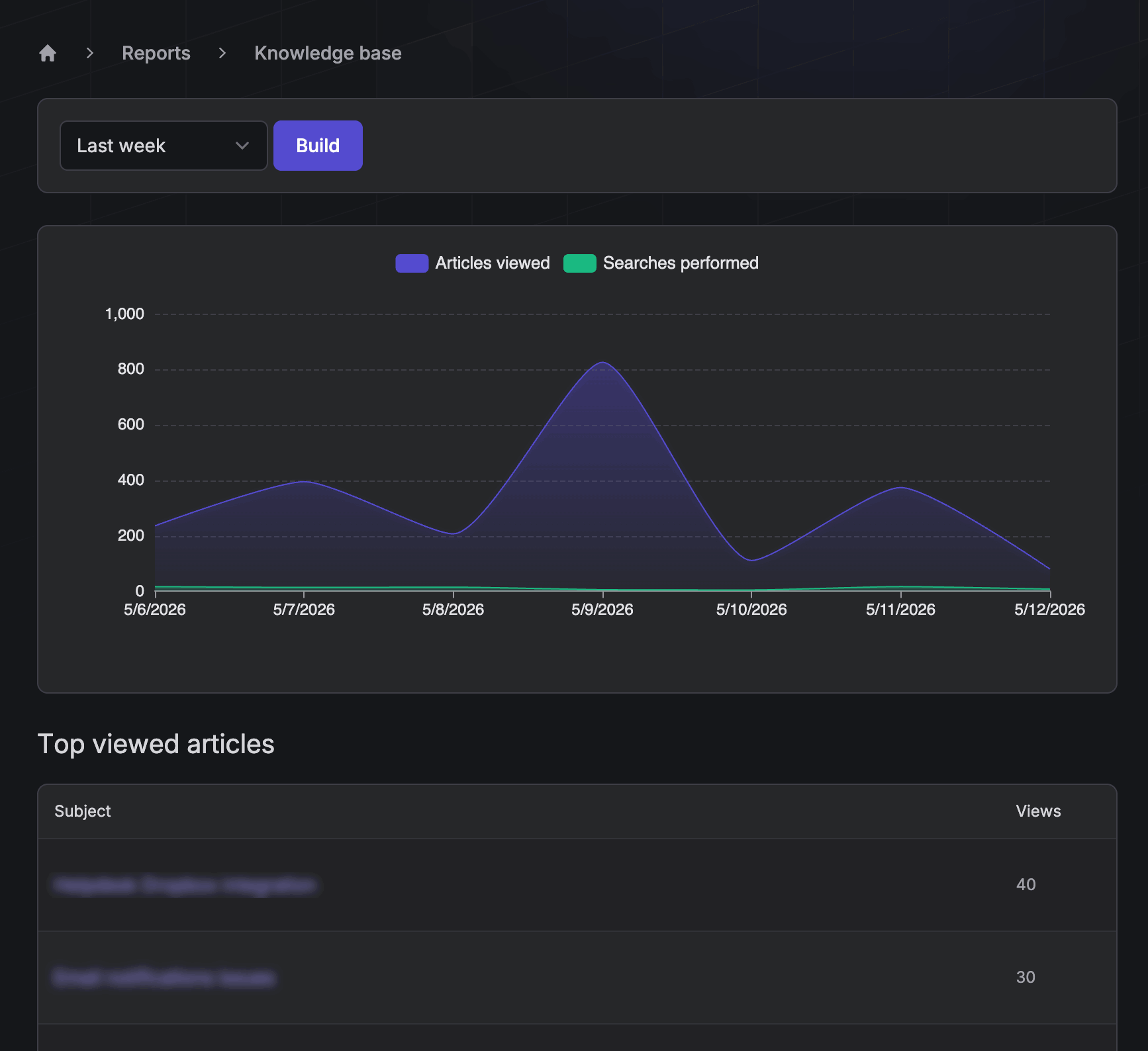
Understanding how customers interact with your knowledge base is essential for improving it. Jitbit includes built-in analytics that show:
- Total article views and trending content
- Search query volume and top search terms
- Most-viewed articles across your knowledge base
- Recent search queries that returned no results, so you can identify content gaps
You can also install your own tracking code (such as Google Analytics) for deeper page-view analysis. Add it in Administrator - General Settings - Custom JavaScript/CSS - KB Specific JavaScript.
Why a Built-In Knowledge Base Matters
Standalone knowledge base tools create data silos. When your knowledge base is built into your helpdesk software, everything is connected: ticket data flows into articles, articles deflect tickets, and analytics reveal where your documentation falls short. Jitbit's integrated approach means less tool-switching for agents, faster self-service for customers, and better reporting for managers.
The knowledge base is included with every Jitbit Helpdesk edition, whether you choose the cloud-hosted SaaS version or the on-premise installation. No add-ons, no extra fees.
Help Desk Knowledge Base Software FAQ
What is help desk knowledge base software?
It is a help desk system with a built-in library of support articles. Instead of keeping documentation in a separate wiki, your team can write, search, suggest, and publish answers directly from the ticketing workflow.
How does a help desk knowledge base reduce tickets?
Users see relevant answers before they submit a request, and agents can send approved articles instead of rewriting the same response. Over time, resolved tickets become new articles, so the knowledge base grows from real support demand.
Can agents turn resolved tickets into knowledge base articles?
Yes. In Jitbit, a solved ticket can be published to the knowledge base, edited to remove private details, categorized, and reused by customers or technicians.
Can the knowledge base be private?
Yes. Jitbit supports public articles for customers, private articles for technicians, and restricted categories for specific users or teams.
Related guides: help desk workflow, service desk knowledge base, and AI knowledge base suggestions.