Helpdesk TeamViewer Integration - Remote Support from Tickets
Jitbit Helpdesk integrates with TeamViewer so your support agents can launch remote desktop sessions directly from a helpdesk ticket - no app-switching, no copy-pasting connection IDs.
See the full list of Jitbit third-party integrations.
Why integrate TeamViewer with your helpdesk
When a customer reports a problem that requires hands-on troubleshooting, your technicians typically have to leave the helpdesk, open TeamViewer separately, look up the user's connection ID, and start a session manually. That wastes time and creates friction.
With the Jitbit Helpdesk TeamViewer integration, agents click a single link inside the ticket and connect to the end user's machine instantly. Every remote session stays tied to the original ticket, so you keep a full audit trail of what was done and when.
How to set up TeamViewer integration
The setup takes just a few minutes. Follow these steps:
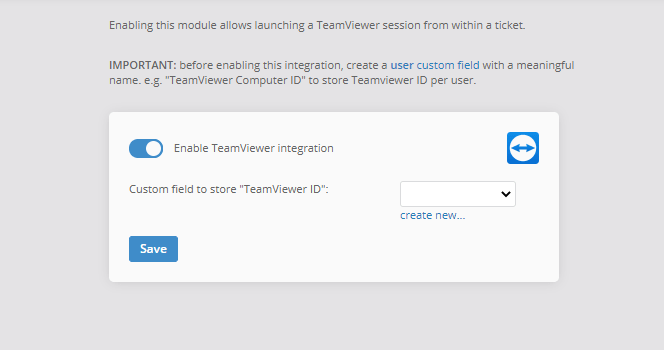
- Create a custom field. Go to "Admin - Users - Custom fields" and create a user custom field. Select "text" as the field type and give it a descriptive name like "TeamViewer Computer ID". Jitbit will use this field to store each user's TeamViewer ID.
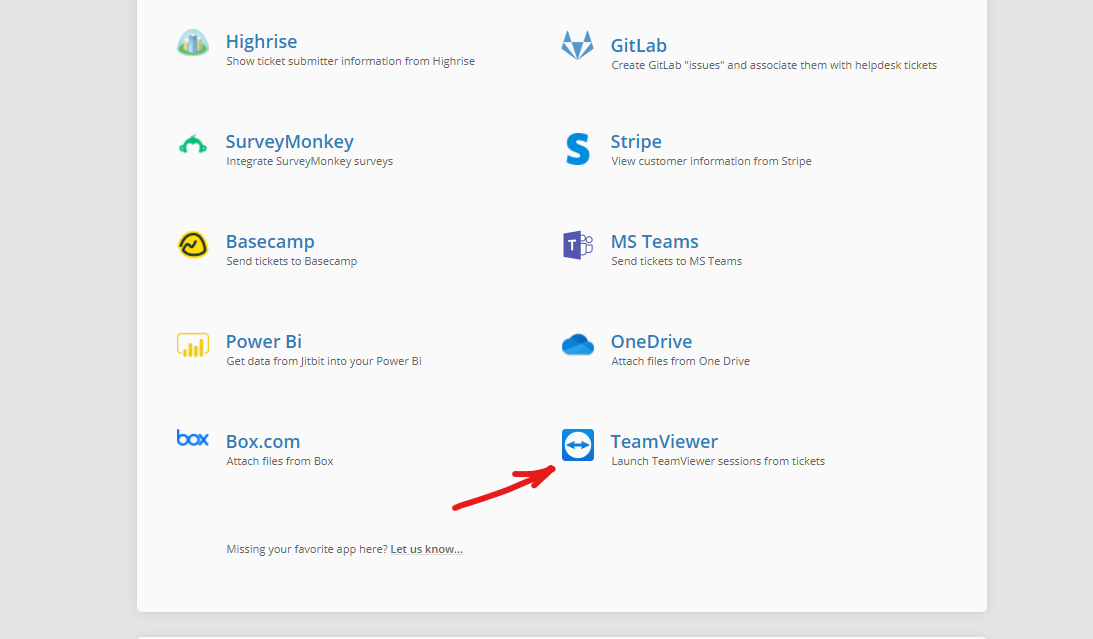
- Enable the integration. Navigate to "Admin - Integrations - TeamViewer" and turn on the TeamViewer integration.
- Select your custom field. Choose the custom field you just created from the dropdown.
- Enter user TeamViewer IDs. Open a user's profile for editing, enter their TeamViewer ID into the custom field, and click "Save". Repeat for every user who may need remote support.
- Launch sessions from tickets. Once a user has a TeamViewer ID on file, a "Connect via TeamViewer" link appears on every ticket from that user. Click it to start a remote session immediately.
Benefits of helpdesk remote support integration
- Faster resolution times. Agents connect to end users in one click instead of juggling separate apps and connection IDs.
- Complete audit trail. Every remote session is linked to the corresponding ticket, so managers can review support activity without guesswork.
- Lower training overhead. New technicians do not need to learn a separate workflow for remote support - everything happens inside the helpdesk.
- Works with both SaaS and on-premise. The TeamViewer integration is available in both the hosted (SaaS) and on-premise versions of Jitbit Helpdesk.
Try Jitbit Helpdesk with TeamViewer
Jitbit Helpdesk connects with TeamViewer and dozens of other tools your team already uses - including Slack, Jira, MS Teams, and more. Start a free trial to see the integration in action.