Helpdesk Software with Asset Management
When a laptop dies, a printer jams, or a software license expires, your support team needs more than a ticket - they need context. Helpdesk software with asset management gives technicians instant visibility into the hardware, software, and equipment tied to every request. Jitbit Helpdesk includes a built-in asset management module that connects your IT ticketing system directly to your asset inventory - no third-party integrations required.
Built-in IT asset tracking
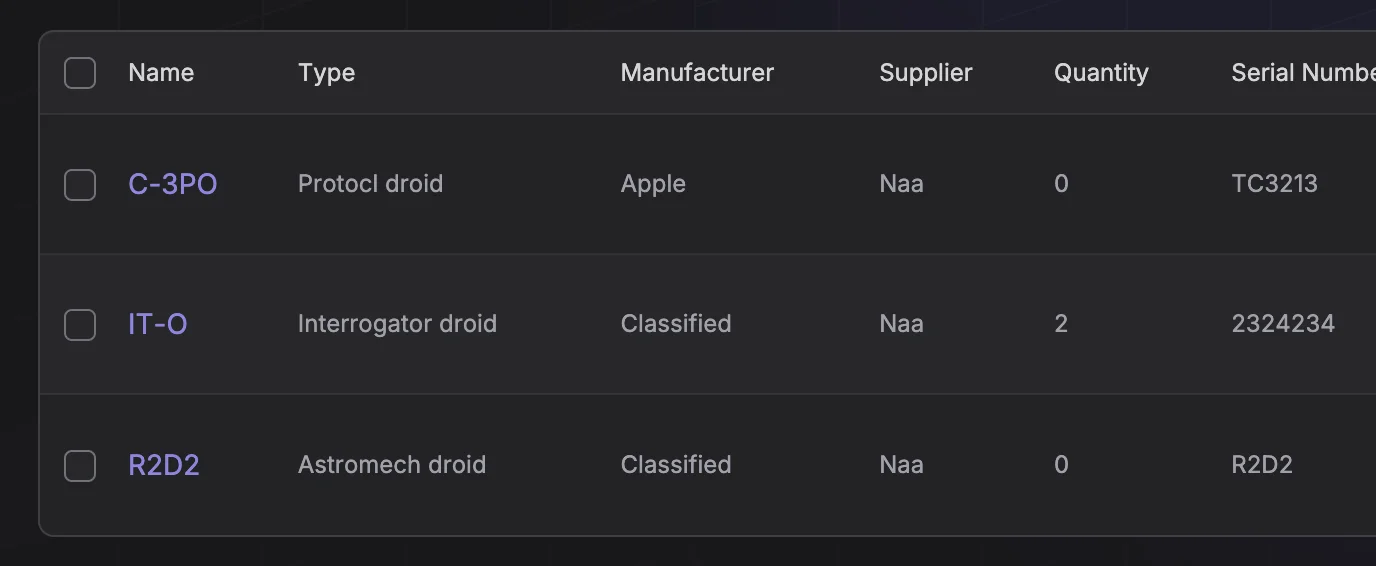
Jitbit's asset management module lets you catalog and organize every asset your organization relies on:
- Physical assets - laptops, monitors, printers, servers, networking equipment, office furniture
- Software assets - licenses, subscriptions, SaaS accounts
- Intangible assets - patents, copyrights, contracts
Search, sort, and filter your entire inventory from a single screen. Each asset record stores key details - serial numbers, purchase dates, assigned users, warranty status - so your team always has the information they need.
Assets linked to tickets and users
Asset data is only useful if your team can access it at the moment they need it. In Jitbit, assets are tightly integrated with the helpdesk core:
- Assign assets to users - see every device and license a person has when they submit a ticket
- Attach assets to tickets - link the specific piece of equipment involved in an issue with a couple of clicks
- Reverse lookup - select any asset to see who it belongs to and its full ticket history
This two-way connection between assets and tickets means your technicians never waste time asking "which laptop?" or digging through spreadsheets. The context is right there inside the ticket.
Full incident history per asset
Here is a scenario every IT team knows: a user reports a broken laptop. A technician fixes it, closes the ticket, and moves on. Three months later the same laptop breaks again with the same symptoms - but nobody remembers the original fix.
With Jitbit's asset management, every ticket linked to an asset builds a permanent incident history. The next time that laptop has an issue, any technician can pull up the full repair log - what broke, what the fix was, and who performed it. No duplicate research, no repeated mistakes.
This asset-level incident history is especially valuable for:
- Identifying hardware that fails repeatedly and needs replacement
- Tracking warranty claims and repair costs over time
- Making data-driven decisions about equipment refresh cycles
- Auditing asset reliability across your fleet
Custom fields for any asset type
Every organization tracks different details. Just like tickets in Jitbit, assets support custom fields so you can capture exactly the data your team needs:
- Purchase price and depreciation data
- Warranty expiration dates
- Last service or maintenance date
- Location, department, or cost center
- Vendor and contract information
Custom fields are fully included when you import or export assets via CSV, making it easy to migrate from spreadsheets or sync with procurement systems.
Asset automation with rules
Jitbit Helpdesk includes a powerful automation rules engine that works with assets too. You can build rules that automatically:
- Attach a specific asset to tickets submitted by a particular user
- Route asset-related tickets to a specialized hardware team
- Escalate tickets involving high-value equipment
- Notify managers when a critical asset has multiple open incidents
Automation removes manual busywork and ensures asset-related tickets are handled consistently - no matter which technician picks them up.
Why manage assets inside your helpdesk?
Standalone IT asset management (ITAM) tools exist, but they create a disconnect between your asset data and your support workflow. When asset management lives inside your service desk, your team gets:
- Faster resolution - technicians see asset details without switching tools
- Better reporting - correlate asset data with ticket volume, resolution time, and SLA compliance
- Lower costs - one fewer tool to purchase, maintain, and train staff on
- Accurate records - asset data stays up to date because it is part of the daily workflow, not a separate system that drifts out of sync
Jitbit's asset management module is included with all Helpdesk editions - both the cloud (SaaS) and self-hosted versions - at no extra cost. It is especially useful for school IT teams tracking classroom devices, Chromebooks, printers, and repair history across multiple buildings.
Explore Jitbit Helpdesk
Helpdesk features Hosted vs On-Premises Zendesk vs. Jitbit Compare alternatives Outlook Help Desk A Simple Support Ticket System System Requirements MS Teams and other integrations Help Desk Demo Email ticketing system GDPR Compliant Help Desk Software How does it work? HelpDesk Source Codes ASP.NET help desk Helpdesk API Case Studies Customer reviews User guide FAQ Version history Download now Pricing