Helpdesk Bitbucket and GitHub Integration
Jitbit Helpdesk integrates with Bitbucket and GitHub, two of the most widely used code repository and issue tracking platforms. This helpdesk Bitbucket and GitHub integration lets your support agents create linked issues directly from a ticket - no tab-switching, no copy-pasting.
See the full list of Jitbit third-party integrations.
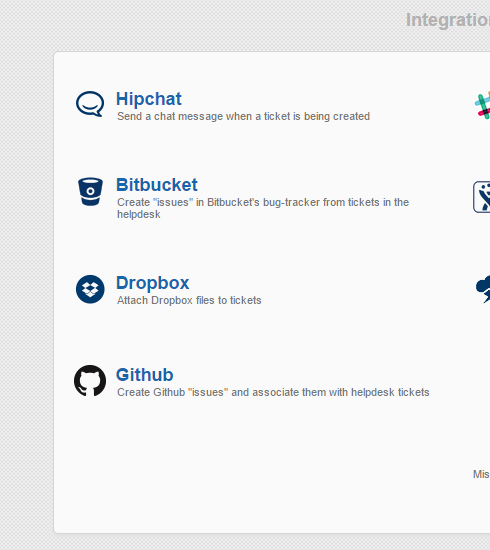
How the Bitbucket and GitHub integration works
Once enabled, a "Create Issue" button appears in the sidebar of every helpdesk ticket. Clicking it creates a new issue in the Bitbucket or GitHub repository of your choice. The new issue automatically includes the ticket details and a link back to the original support ticket. The helpdesk ticket also displays a link to the newly created issue, so both sides stay connected.
This means your development team can pick up bugs and feature requests in their normal workflow, while your support agents keep full visibility into progress - all without leaving Jitbit.
Setting up the Bitbucket integration
- In Jitbit, go to Administration → Integrations → Bitbucket.
- Click "Enable Bitbucket integration".
- Enter your Bitbucket username and password.
- Click "Save".
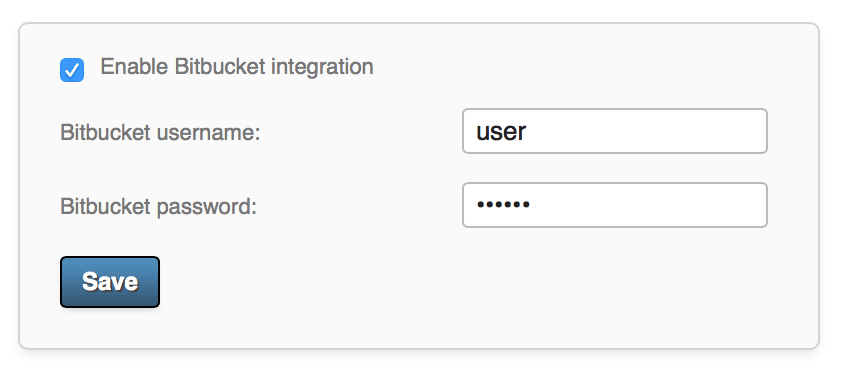
Once saved, every helpdesk ticket will display a "Create Bitbucket issue" button in the right sidebar.
Setting up the GitHub integration
- In Jitbit, go to Administration → Integrations → GitHub.
- Click "Enable GitHub integration".
- Enter your GitHub username and password (or personal access token).
- Click "Save".
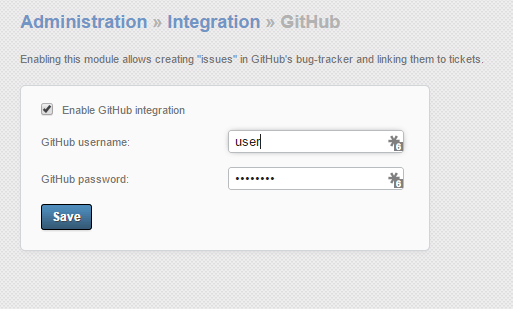
After saving, a "Create issue in GitHub" button will appear in every helpdesk ticket.
Tracking linked issues
After an issue has been created and linked to a ticket, Jitbit displays the issue details in the ticket's sidebar. You can click the link at any time to jump straight to the Bitbucket or GitHub issue and check its current status.
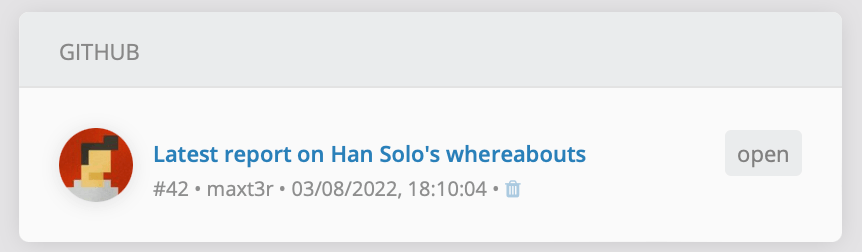
Note that changes made in Bitbucket or GitHub are not automatically synced back into the helpdesk ticket. To check the latest issue status, click the issue link in the sidebar.
Why connect your helpdesk to Bitbucket or GitHub?
- One-click issue creation - turn a support ticket into a tracked development issue without leaving the helpdesk.
- Automatic cross-linking - both the ticket and the issue link to each other, so nothing gets lost.
- Better collaboration - support and engineering teams stay aligned without extra meetings or status updates.
- Faster resolution - developers see the original customer report with full context, reducing back-and-forth.
If your team already tracks bugs and feature requests in Bitbucket or GitHub, this integration eliminates the manual work of keeping your helpdesk and issue tracker in sync.
Related integrations
Jitbit Helpdesk connects with many other development and collaboration tools:
- GitLab integration - create GitLab issues from support tickets the same way.
- Jira integration - link helpdesk tickets to Jira issues with one click.
- Slack integration - get ticket notifications in your team's Slack channels.
- All integrations - browse the full list of Jitbit third-party integrations.
Explore Jitbit Helpdesk
Helpdesk features Hosted vs On-Premises Zendesk vs. Jitbit Compare alternatives Outlook Help Desk A Simple Support Ticket System System Requirements MS Teams and other integrations Help Desk Demo Email ticketing system GDPR Compliant Help Desk Software How does it work? HelpDesk Source Codes ASP.NET help desk Helpdesk API Case Studies Customer reviews User guide FAQ Version history Download now Pricing