Helpdesk Highrise Integration - Connect Your CRM to Jitbit
Jitbit Helpdesk integrates with Highrise, the popular CRM app known for its simplicity and clean contact management. The helpdesk Highrise integration lets your support agents see CRM contact details directly inside support tickets, so they never have to switch between apps to look up a customer.
Why connect Highrise to your helpdesk
When a customer submits a support ticket, your agents often need context: who is this person, what deals are in progress, and what notes have been logged about them? Without a CRM integration, agents waste time copying email addresses between tabs and searching Highrise manually.
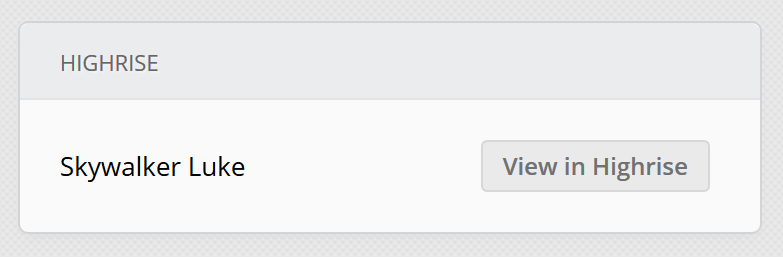
With the Jitbit Helpdesk Highrise integration, that context appears automatically. Jitbit matches the ticket submitter's email address against your Highrise contacts and displays a direct link to the contact's full CRM profile on the ticket page. Your agents get instant access to contact history, deals, and notes without leaving the helpdesk.
Here is what the Highrise contact link looks like inside a Jitbit ticket:
How to enable Highrise integration with your helpdesk
Setting up the integration takes just a few minutes. Follow these steps:
- In Jitbit, go to Administration - Integration - Highrise
- Check the "Enable Highrise integration" box
- Paste your Highrise URL (it should look like https://company.highrisehq.com/)
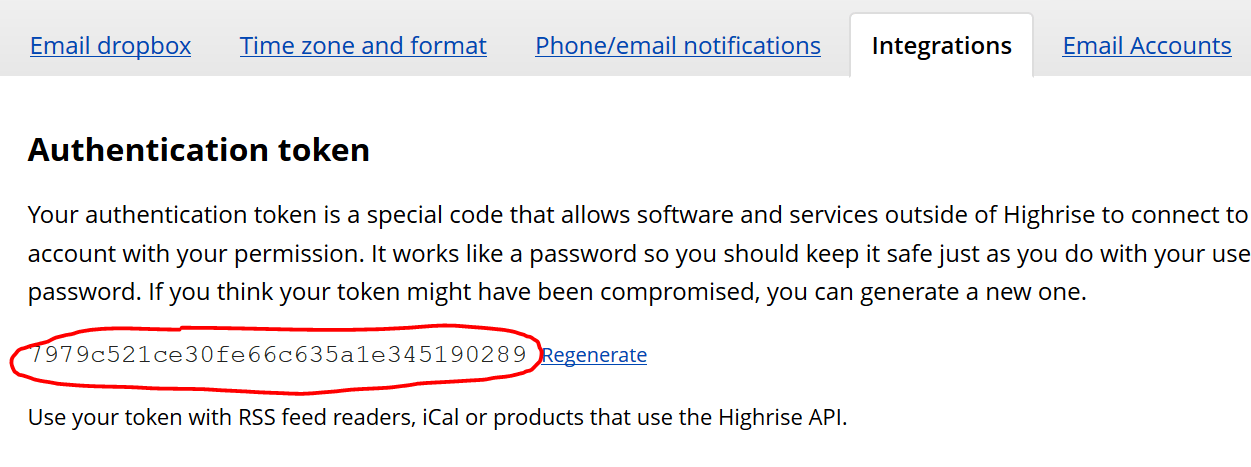
- Find your Highrise authentication token by navigating to Account & Settings - My Info - Integration in Highrise. Copy the token shown there:
Once saved, the integration starts working immediately. Every ticket whose submitter email matches a Highrise contact will display the CRM link in the ticket sidebar.
More helpdesk integrations
Highrise is one of many third-party apps that connect to Jitbit Helpdesk. You can also link your helpdesk to Jira, Slack, Microsoft Teams, and dozens more tools your team already uses.