Helpdesk Website Support Widget: Add a Contact Form in One Line of Code
A helpdesk website support widget lets your visitors contact you from any page without navigating away. Both the self-hosted and hosted versions of Jitbit Helpdesk include an embeddable support widget that you install by pasting a single line of JavaScript into your page source. Visitors see a small "contact us" button; clicking it opens a support form that creates a ticket directly in your helpdesk.
How the helpdesk support widget works
Setting it up takes less than a minute. Open your Jitbit Helpdesk, navigate to "Administrator" then "Support Widget," and copy the JavaScript snippet. Paste it into your website's source just before the closing </body> tag. That is all it takes - the widget is live.
When a visitor submits a request through the widget, Jitbit automatically creates a new support ticket. If the visitor is new, a user account is created for them. If they have contacted you before, the ticket is linked to their existing account. An email confirmation goes out to the visitor, and your helpdesk agents get notified instantly.
Two widget types to fit your needs
Jitbit offers two distinct widget styles so you can match the experience to your use case:
- Lightweight pop-up widget - a compact slide-in form from the bottom of the page (shown above). Clean, fast, and non-intrusive. Ideal for general "contact us" support on marketing pages or product pages.
- Full-size widget - a popup version of your helpdesk's "new ticket" page, complete with all custom fields, categories, and any extra HTML you have configured. Best for technical support or internal IT teams that need structured intake forms.
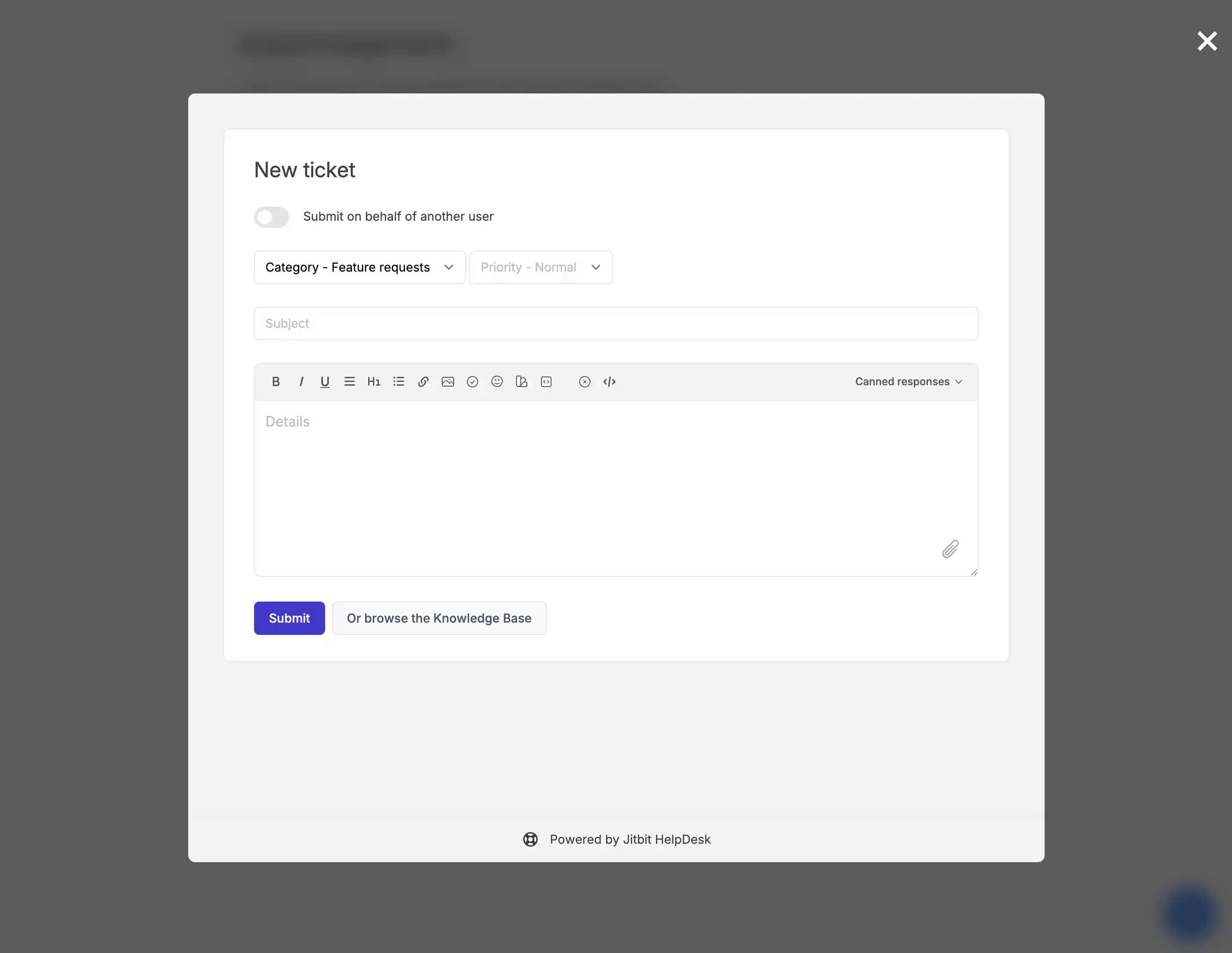
Built-in live chat support
The support widget doubles as a live chat tool. After a visitor submits a ticket, they are taken to a real-time chat view where they can talk to an agent immediately. On the helpdesk side, live chat tickets display a glowing "live" badge in the ticket queue so agents can prioritize them. If the visitor leaves the page, the conversation automatically converts to a regular email ticket - nothing gets lost.
You can also enable an AI autoresponder that uses your knowledge base to answer common questions before a human agent steps in.
For more details, read: Live chat widget setup and features
Customize the widget to match your brand
Every website looks different, so Jitbit gives you full control over the widget's appearance. From the admin panel you can:
- Set custom color
- Adjust positioning (bottom left or bottom right)
- Pre-select a category for the widget
- Hide the category select box entirely
- Auto-show the widget after a set number of seconds
- Prefill the user's email if you already know it
- Show suggested knowledge base articles when a user opens a new chat
- Hide the widget button and trigger it programmatically
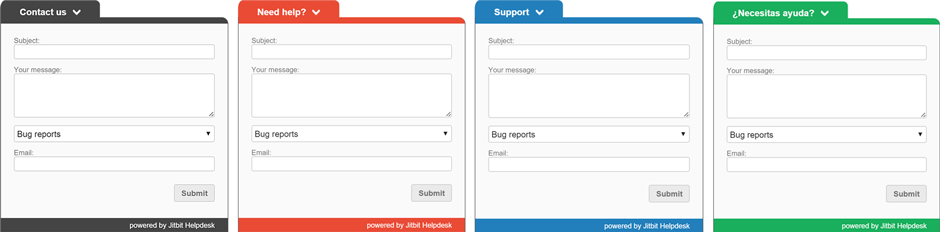
If you need deeper customization, you can apply your own CSS or use our REST API to build a completely custom contact form that feeds tickets directly into Jitbit.
Built-in analytics and ticket origin tracking
Every ticket in Jitbit carries an "origin" tag indicating whether it came from email, the web interface, the API, or the support widget. Widget-originated tickets also record the exact page URL where the visitor submitted the request, so you can identify which pages generate the most support questions and optimize accordingly.
Combine this with Jitbit's reporting and analytics tools to track widget performance over time, measure response speed for widget tickets, and spot trends in visitor behavior.
When to add a website support widget
Adding a helpdesk support widget to your site makes sense in several scenarios:
- Reduce friction for visitors - let customers contact you from any page without hunting for a "contact us" link or switching to email
- Improve conversion rates - a visible support badge reassures potential buyers that help is available, which builds confidence during the decision-making process
- Eliminate custom development - skip building a dedicated contact page with a feedback form. One line of JavaScript gives you a fully functional, branded support intake right on your site
- Centralize support channels - widget tickets flow into the same queue as email and API tickets, so your team manages everything from one place
Does your website need a helpdesk support widget?
If your website gets regular traffic from customers or prospects, the answer is almost certainly yes. Visitors dealing with technical issues, billing questions, or pre-sales inquiries need a fast path to your support team. Jitbit Helpdesk lets you embed that path directly into your pages, so customers can reach you without switching to email or picking up the phone.
Our software helps even small support teams manage hundreds of tickets efficiently. Issues are categorized by type and priority, integrated with your existing email workflow, and tracked with full history so nothing falls through the cracks. Support agents can work from the web app, email, or the mobile app - wherever they are.
Get started with Jitbit's support widget
You can try the helpdesk website support widget right now. Start a free 21-day trial - no credit card required. The widget setup takes less than a minute, and your team can start handling live requests the same day.