Outlook Help Desk - Turn Outlook Into a Ticketing System
An Outlook help desk lets your support team keep using the email client they already know while gaining the ticket tracking, reporting and automation that Outlook alone cannot provide. Jitbit Helpdesk integrates directly with your Microsoft Outlook or Exchange mailbox, converting every incoming email into an organized support ticket — no workflow changes required.
Why Outlook Alone Falls Short for Customer Support
Outlook is an excellent email client for personal and internal communication. But when a growing support team tries to manage customer requests from a shared Outlook mailbox, the cracks appear fast:
- No ticket ownership. Two agents can reply to the same email without knowing someone else is already handling it.
- No complete issue history. Customer context is scattered across individual inboxes, CC chains and forwarded threads.
- No performance reporting. You have no way to measure first-response time, resolution time or agent workload.
- No workflow automation. Every ticket must be manually triaged, categorized and assigned.
- No SLA tracking. There is no built-in mechanism to enforce response-time commitments.
These limitations are manageable when you handle a handful of emails a day. Once volume grows, they become bottlenecks that hurt customer satisfaction and team productivity.
The Solution: An Outlook Helpdesk Integration
A full migration away from Outlook is disruptive. Agents must learn a new interface, and established email workflows break. The better approach is an Outlook help desk integration — a ticketing system that connects to your existing mailbox and works alongside Outlook rather than replacing it.
Jitbit Helpdesk does exactly that. Your team continues to send and receive email in Outlook. Behind the scenes, Jitbit converts those emails into trackable tickets, assigns them to the right agents and logs every interaction in a centralized database.
The result: your agents keep the email workflow they prefer, and your managers get the visibility and control that only a dedicated IT helpdesk application can provide.
How Jitbit Outlook Help Desk Works
Jitbit Helpdesk connects to your Microsoft Exchange Server (or any IMAP/POP mailbox) and turns email into a structured ticketing workflow in four steps:
- Email pickup. Jitbit connects to your support mailbox via Exchange (EWS), IMAP or POP and pulls every incoming email. Each email becomes a new ticket — or a reply to an existing one — automatically.
- Team notification. Agents are notified instantly. Notifications can be targeted to specific departments or teams so the right people see the right tickets.
- Reply from Outlook. Agents hit "reply" in Outlook exactly as they do today. They can also perform ticket operations like closing, reassigning or adding private notes directly via Jitbit's Email API.
- Automatic logging. Every reply is forwarded to the customer and recorded in the ticket history inside Jitbit, giving you a single source of truth for every conversation.
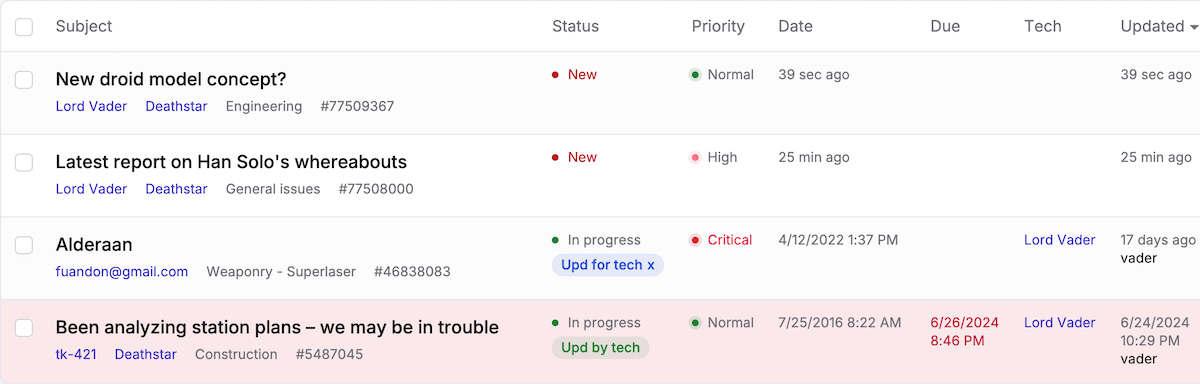
Using Exchange Web Services rather than Outlook directly? Read about our native EWS (Exchange) protocol support.
What You Gain Beyond Outlook
Connecting Outlook to Jitbit Helpdesk gives your team capabilities that no email client can match on its own:
- Centralized ticket database. Every customer interaction is stored, searchable and linked to a full contact history.
- Collision detection. Jitbit shows when another agent is viewing or replying to the same ticket in real time, preventing duplicate responses.
- Automation rules. Route, prioritize and assign tickets automatically using an "if/then" automation engine — no manual triage needed.
- SLA management. Set response and resolution deadlines, then let Jitbit escalate overdue tickets automatically.
- Reporting and analytics. Track first-response time, resolution time, agent workload, customer satisfaction and more with built-in reports.
- Knowledge base. Build an internal or public knowledge base. Jitbit even suggests relevant articles to agents as they reply.
- Integrations. Connect to Slack, Teams, Jira, GitHub and dozens of other tools alongside your Outlook integration.
When to Move from Outlook to an Outlook Ticketing System
Not every team needs a dedicated help desk on day one. But if any of the following sound familiar, your support team has outgrown a shared Outlook mailbox:
- You handle more than ten customer support emails per day.
- More than one agent works from the same support mailbox.
- You rely on "reply all" or manual forwarding to keep your team in the loop.
- You need data on response times, ticket volume or agent performance.
- Customers are falling through the cracks because emails get lost or duplicated.
If you checked even one of these boxes, an Outlook help desk integration will immediately improve how your team operates.
What Jitbit's Outlook Helpdesk Integration Delivers
Jitbit's Outlook-integrated email ticketing system helps support teams of every size:
- Handle high ticket volumes efficiently. Automation and smart routing ensure nothing slips through the cracks, even during peak periods.
- Support remote and distributed teams. Because Jitbit is cloud-hosted, agents can work from anywhere while sharing a single ticket database.
- Route requests to the right person instantly. Incoming tickets are assigned to the appropriate team member based on rules you define — and can be escalated to senior agents when needed.
- Maintain consistent customer communication. Customers receive automatic updates when their issue is being worked on and when it has been resolved.
- Transition without disruption. Agents keep using Outlook. Jitbit adds structure and visibility on top, so adoption is painless.
Moving from a bare Outlook mailbox to an Outlook ticketing system improves the efficiency and productivity of your entire support operation — without forcing anyone to abandon the email client they already know. Try Jitbit Helpdesk and see the difference an integrated Outlook help desk makes.
Explore Jitbit Helpdesk
Helpdesk features Hosted vs On-Premises Zendesk vs. Jitbit Compare alternatives Outlook Help Desk A Simple Support Ticket System System Requirements JIRA and other integrations Help Desk Demo Email ticketing system GDPR Compliant Help Desk Software How does it work? HelpDesk Source Codes ASP.NET help desk Helpdesk API Case Studies Customer reviews User guide FAQ Version history Download now Pricing