Helpdesk Harvest Integration - Time Tracking for Support Tickets
If your support team uses Harvest for time tracking, the Jitbit Helpdesk Harvest integration lets you connect the two tools so every minute spent on a support ticket is tracked, billable, and reportable. No more switching between apps or manually logging hours - your helpdesk and time tracker work together.
See the full list of Jitbit third-party integrations.
Why connect your helpdesk with Harvest
Harvest is a widely used time tracking and project management app - popular with agencies, IT teams, and consultancies that need accurate time records for client billing. It provides sophisticated reports, invoicing tools, and team scheduling beyond basic time tracking.
Jitbit Helpdesk already includes a built-in time tracking module. Each ticket has a timer that records the time spent working on it. You can edit the spent time manually or let the timer count automatically. The Technician Statistics report shows a sum of time spent by each team member over a given period.
When you connect the two, you get:
- Accurate client billing - time tracked against support tickets flows directly into Harvest invoices
- One-click project creation - turn any helpdesk ticket into a Harvest project without leaving Jitbit
- Two-way linking - every Harvest project links back to its Jitbit ticket and vice versa
- In-ticket time tracking - start a Harvest timer directly from a support ticket
- Better reporting - combine Harvest's detailed time reports with Jitbit's support analytics
Setting up the Jitbit Helpdesk Harvest integration
Connecting Jitbit Helpdesk to Harvest takes just a few minutes. Here is how:
- In Jitbit, go to Administration > Integrations > Harvest
- Enter your Harvest URL, login, and password
- Click Save
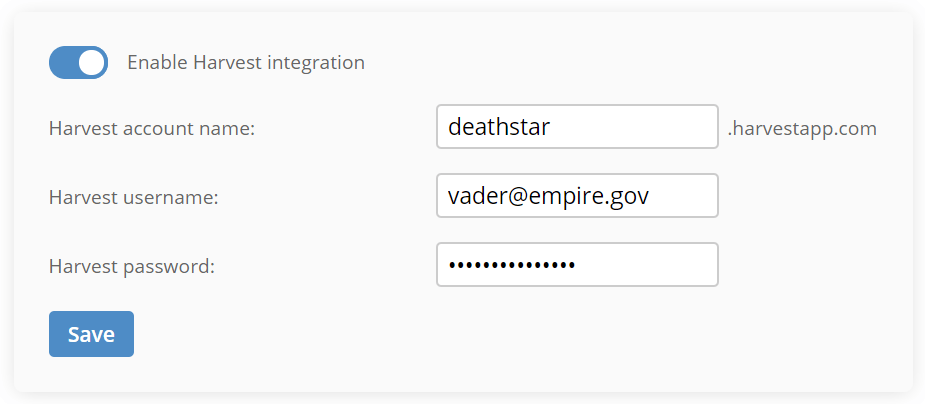
That is all it takes. Once saved, the Harvest integration is active across your entire helpdesk.
Creating Harvest projects from support tickets
After enabling the integration, you can link any Jitbit ticket to a Harvest project. Open any ticket and look for the "Create a project in Harvest" button in the right sidebar.
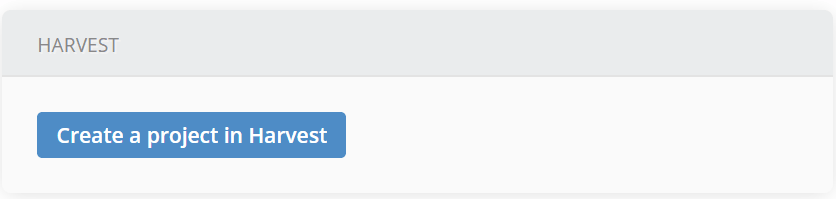
Click it and a short form appears where you can set the project details:
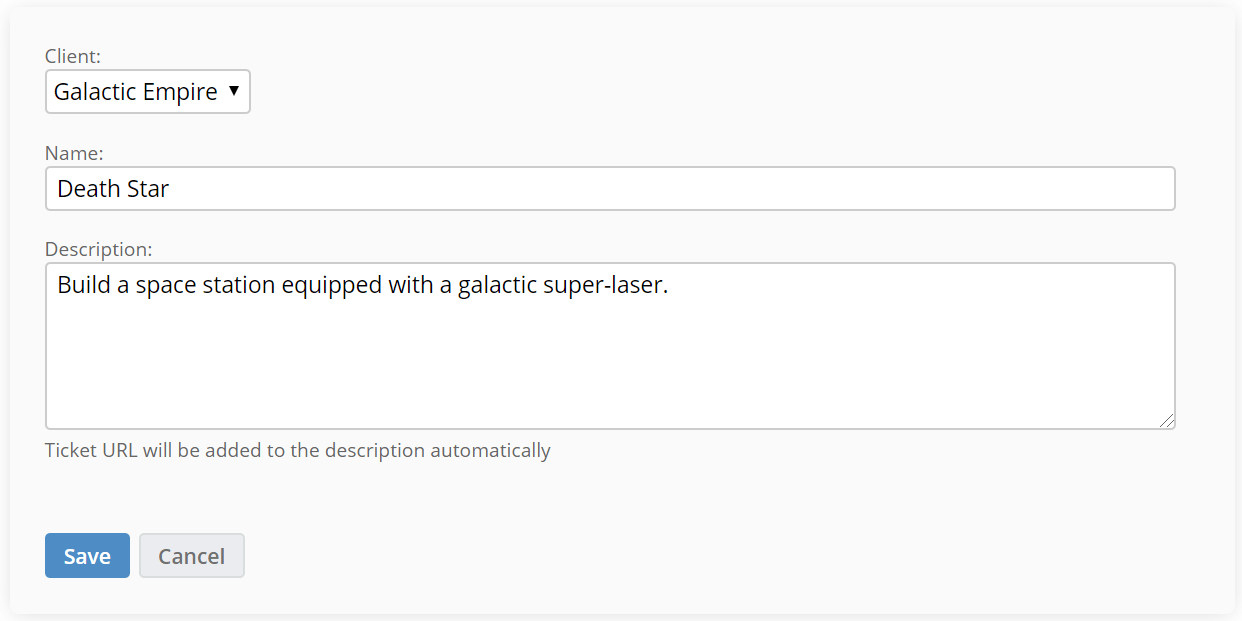
Click "Save" and Jitbit creates the Harvest project automatically. The new project includes a link back to the original Jitbit ticket, and the ticket displays a link to the Harvest project - so your team can jump between the two with a single click.
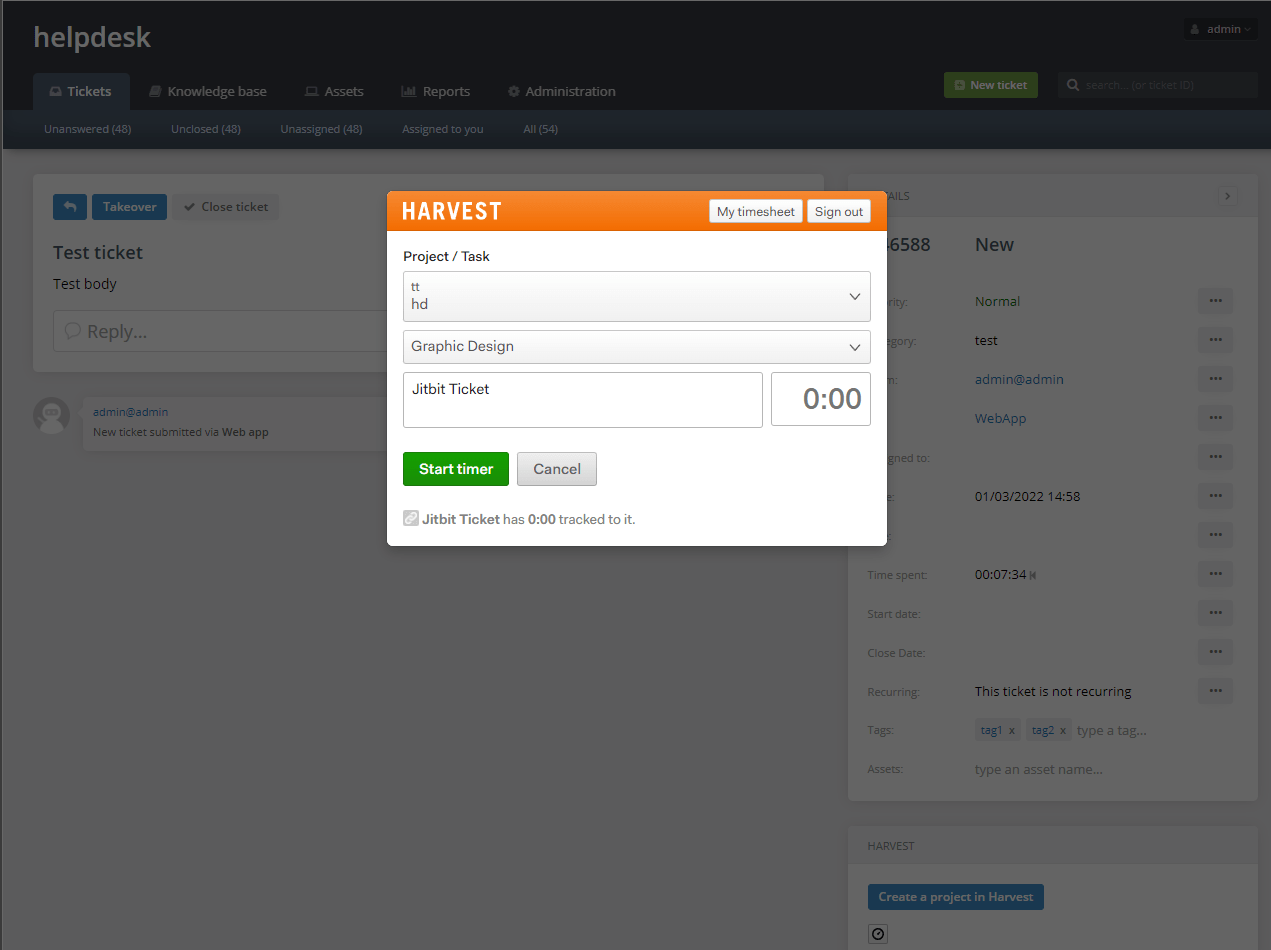
Track time directly in Harvest from Jitbit
You can also track time on helpdesk tickets directly through Harvest. Click the timer icon inside any ticket and the Harvest timer dialog pops up, letting you start tracking immediately without leaving Jitbit. Time logged this way shows up in both Jitbit's built-in time reports and in your Harvest account for invoicing and analytics.
Who benefits from helpdesk Harvest integration
This integration is especially valuable for:
- Managed service providers (MSPs) - track billable support hours per client automatically
- IT consultancies - tie every support request to a project for accurate time allocation
- Agencies - keep client-facing support work visible in the same tool you use for billing
- Internal IT teams - measure how much time your team spends on different categories of requests
If your team already relies on Harvest for time tracking and invoicing, this integration eliminates the gap between handling support tickets and recording the time spent on them.
Related integrations
Jitbit Helpdesk connects with many tools your team already uses. Here are a few related integrations:
- Jira integration - create bug-tracker issues from support tickets
- Slack integration - get ticket notifications in your team chat
- Stripe integration - view customer payment data alongside support tickets
- Zapier integration - connect Jitbit to 7,000+ other apps
Learn more about Jitbit Helpdesk or try the live demo to see the Harvest integration in action.