Best osTicket Alternatives in 2026: pricing, features compared
osTicket earned its place. It's free, open source, runs on any LAMP server, and it has handled the ticket queue at thousands of IT departments for over twenty years. Most teams don't leave because it broke. They leave because they need something it doesn't do: an API that can do more than create tickets, automation that runs on a timer, a mobile app, AI. Or the person who set it up has left, and nobody wants to be the one who runs the next upgrade.
Below are the osTicket alternatives worth looking at in 2026. Some are free and self-hosted, like osTicket, and some are paid. Each comes with current pricing and its downsides. Since most osTicket users chose it partly because it runs on their own server, every section says whether you can still do that.
Table of Contents
- Why Teams Move Off osTicket
- Pricing at a Glance
- What a 10-Agent Team Pays Over Three Years
- 1. Jitbit Helpdesk
- 2. Zammad
- 3. FreeScout
- 4. GLPI
- 5. Freshservice
- 6. ManageEngine ServiceDesk Plus
- Migrating Your osTicket Data
- How to Choose
Why Teams Move Off osTicket
osTicket isn't abandoned - it still ships security patches. But the developers have confirmed that the 1.x branch is in maintenance mode: security fixes only, while a 2.0 rewrite is in the works with no release date. The last feature release was in June 2023. When 2.0 does arrive, it moves to a new Laravel/React architecture, so existing plugins and themes will need porting.
Meanwhile, the gaps people run into stay where they are:
- The API only creates tickets. No reading, updating, searching or closing - the request has been open since 2014.
- No time-based automation. Filters run when a ticket is created, and that's it. Even auto-closing stale tickets needs a plugin or a cron script.
- No official mobile apps, and the agent panel isn't mobile-friendly.
- No built-in AI - no reply drafting, summaries or triage.
- Basic reporting and a dated interface, the two most common complaints in reviews.
Then there's the cost of "free": the server, mail setup, the OAuth2 plugin for Microsoft 365 or Gmail, and every upgrade are yours to manage. A few days of admin work a year can easily cost more than a commercial license.
Pricing at a Glance
Cloud prices are per agent per month on annual billing unless noted. osTicket is included for reference.
| Tool | Self-hosted | Cloud | Stack (self-hosted) | AI |
|---|---|---|---|---|
| Jitbit | One-time, $2,490 for 10 agents | $29-249/mo flat per team | .NET + SQL Server, Windows or Linux | Included, also on-prem |
| osTicket | Free (GPL) | $12-24 (SupportSystem) | PHP + MySQL | No |
| Zammad | Free (AGPL), support from €2,999/yr | €7 / €16 / €25 | Ruby on Rails + PostgreSQL + Elasticsearch | Pay per AI call |
| FreeScout | Free (AGPL), paid modules | No official cloud | PHP + MySQL | Via modules |
| GLPI | Free (GPL), support from €100/mo | €19 | PHP + MySQL | Via plugins |
| Freshservice | No | $19 / $49 / $99 | - | Copilot +$29/agent |
| ManageEngine ServiceDesk Plus | Yes, quote-based | from $13 / $27 / $67 | Java + PostgreSQL or SQL Server | Zia, on request |
List prices from each vendor's pricing page, October 2026. Euro prices exclude VAT. Vendors change prices often - check before you buy.
What a 10-Agent Team Pays Over Three Years
osTicket users tend to think in years, not months, so here is the three-year cost for 10 agents. Self-hosted figures are license and paid support only - your own server and admin time come on top for every self-hosted option, osTicket included.
| Tool & plan | 10 agents, 3 years |
|---|---|
| Jitbit, self-hosted | $2,490 one-time; $4,988 if you also renew updates in years 2 and 3 |
| Jitbit, cloud | $10,008 on monthly billing, less on annual - AI and assets included |
| osTicket | $0 self-hosted; $4,320-8,640 on SupportSystem cloud |
| Zammad | $0 self-hosted without support (€8,997 with Business support); €5,760 on Professional cloud |
| FreeScout | ~$100 in one-time modules |
| GLPI | $0 self-hosted (€3,600 with Basic support); €6,840 on cloud |
| Freshservice Growth | $17,640 |
| ManageEngine ServiceDesk Plus Professional | from $9,720 (cloud) |
If you stay with free software, you're paying in admin hours, not license fees. That's a perfectly good deal when someone on the team has the time. It stops being one when that person leaves.
1. Jitbit Helpdesk
Best for: IT teams that want to keep the helpdesk on their own server, but with the API, automation, apps and AI that osTicket lacks.
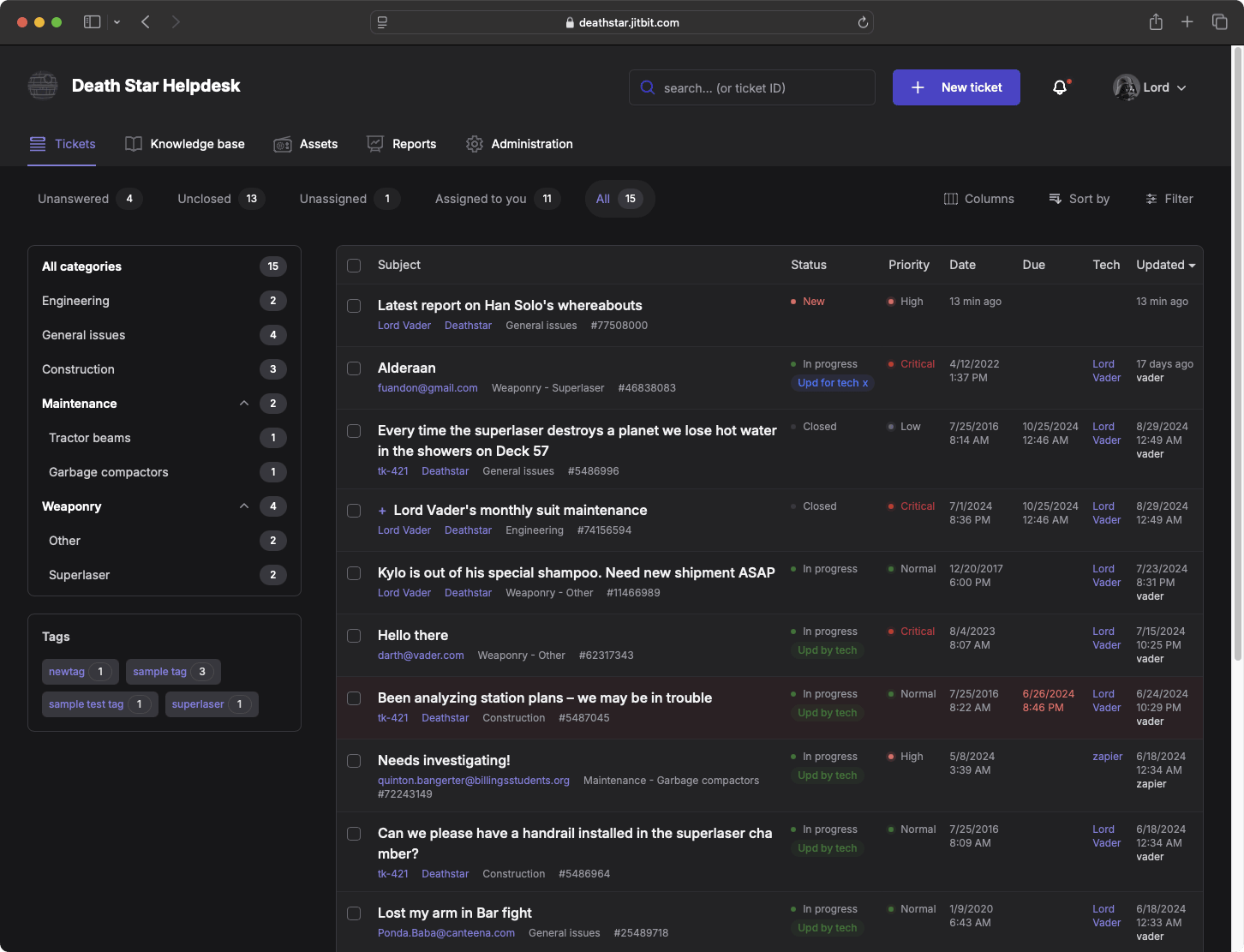
Jitbit is the tool we build, so read this section with that in mind. It works the way osTicket users are used to - email in, ticket out, reply from the browser - and it still runs on your server, behind your firewall. The self-hosted version runs on Windows Server or Linux (including Docker), with .NET and SQL Server; the free Express edition is fine for most teams. The difference is everything around the ticket queue:
- A full REST API - create, read, update, search and close - plus webhooks and 30+ integrations
- Automation rules with time-based triggers, escalations and SLAs, set up in a form instead of a cron job
- AI that works with the self-hosted version - reply drafts from your knowledge base, summaries, triage. Very few self-hosted helpdesks offer this
- Native iOS and Android apps, free, with push notifications
- Asset management linked to tickets and users, plus Active Directory and SSO
Pricing: the self-hosted license is a one-time payment - $2,490 for 10 agents, up to $16,990 for unlimited agents - and includes 12 months of updates. After that, the software keeps working; renewing updates costs half the license price. The cloud version is $29 to $249 a month for the whole team, not per agent, and you can move between the two in either direction.
Downsides: it isn't open source, so you can't patch the code yourself. If you're a pure LAMP shop, it runs on Linux, but needs SQL Server rather than MySQL. And it's a helpdesk, not a full ITIL suite - no CMDB or formal change management.
Jitbit is a profitable, self-funded company that has been building helpdesk software for over 18 years. Feature requests go straight to the developers, and our support team - the people who wrote the product - will help you move your osTicket data over for free.
2. Zammad
Best for: teams that want to stay open source and self-hosted, but with a modern interface.
Zammad is the most common answer when someone asks for "osTicket, but modern." It's an open-source helpdesk from Germany with a clean, fast interface, and it handles email, chat, phone, Telegram, WhatsApp and social channels in one place. It has triggers, SLAs, a knowledge base, a full API, and LDAP/SSO - most of what osTicket users miss. The hosted version is GDPR-friendly, with data in Germany.
Pricing: self-hosted is free under the AGPL. Paid support for self-hosted starts at €2,999 a year. Hosted plans are €7 (Starter, max 5 agents), €16 (Professional, max 35 agents) and €25 (Plus) per agent per month on annual billing. AI features are billed per call.
Downsides: self-hosting is heavier than osTicket - Ruby on Rails, PostgreSQL, Redis and Elasticsearch, and it wants a fair amount of RAM. It's built for customer support more than IT, so there's no asset management. Some useful features, like workflows and advanced reporting, are only on the top hosted plan.
3. FreeScout
Best for: small teams that want to keep it free and lightweight, and run a shared inbox more than an IT service desk.
FreeScout is a free, open-source clone of Help Scout, built on PHP and Laravel. It runs on the same kind of cheap LAMP hosting as osTicket - even shared hosting - with no limits on agents or tickets. The interface is much more modern than osTicket's. The core is a shared mailbox; extra features come as paid modules.
Pricing: the core is free under the AGPL. Modules for things like workflows, tags, saved replies, a knowledge base, reports and a customer portal are one-time purchases of a few dollars to about $25 each - a typical set is around $100. There's no official cloud version, but third-party hosts run it for a few dollars a month.
Downsides: it's a mailbox, not a ticketing system with categories, custom statuses and asset tracking. Many basics are modules from different authors, so you end up keeping a set of add-ons up to date. It's a great osTicket replacement for customer email, less so for internal IT.
4. GLPI
Best for: IT departments that want free, self-hosted ITSM with serious asset inventory.
GLPI is a French open-source IT management suite, backed by Teclib. Where osTicket is a ticket queue, GLPI is closer to a full IT service desk: incidents, requests, problems, changes, a service catalog, SLAs, and - its real strength - asset management with automatic inventory through the GLPI Agent. It's big in European public sector and education, and it runs on the same PHP/MySQL stack as osTicket.
Pricing: free under the GPL. Teclib sells cloud hosting at €19 per agent per month (45-day trial), and support for self-hosted installs from €100 a month for up to 10 agents.
Downsides: the interface is dense, and helpdesk work is just one part of a big product, so it feels heavier than osTicket for agents who only answer tickets. Upgrades can break plugins, and setup takes real time. If you don't need the asset inventory, it's a lot of tool.
5. Freshservice
Best for: teams that are done with self-hosting and want a polished cloud ITSM.
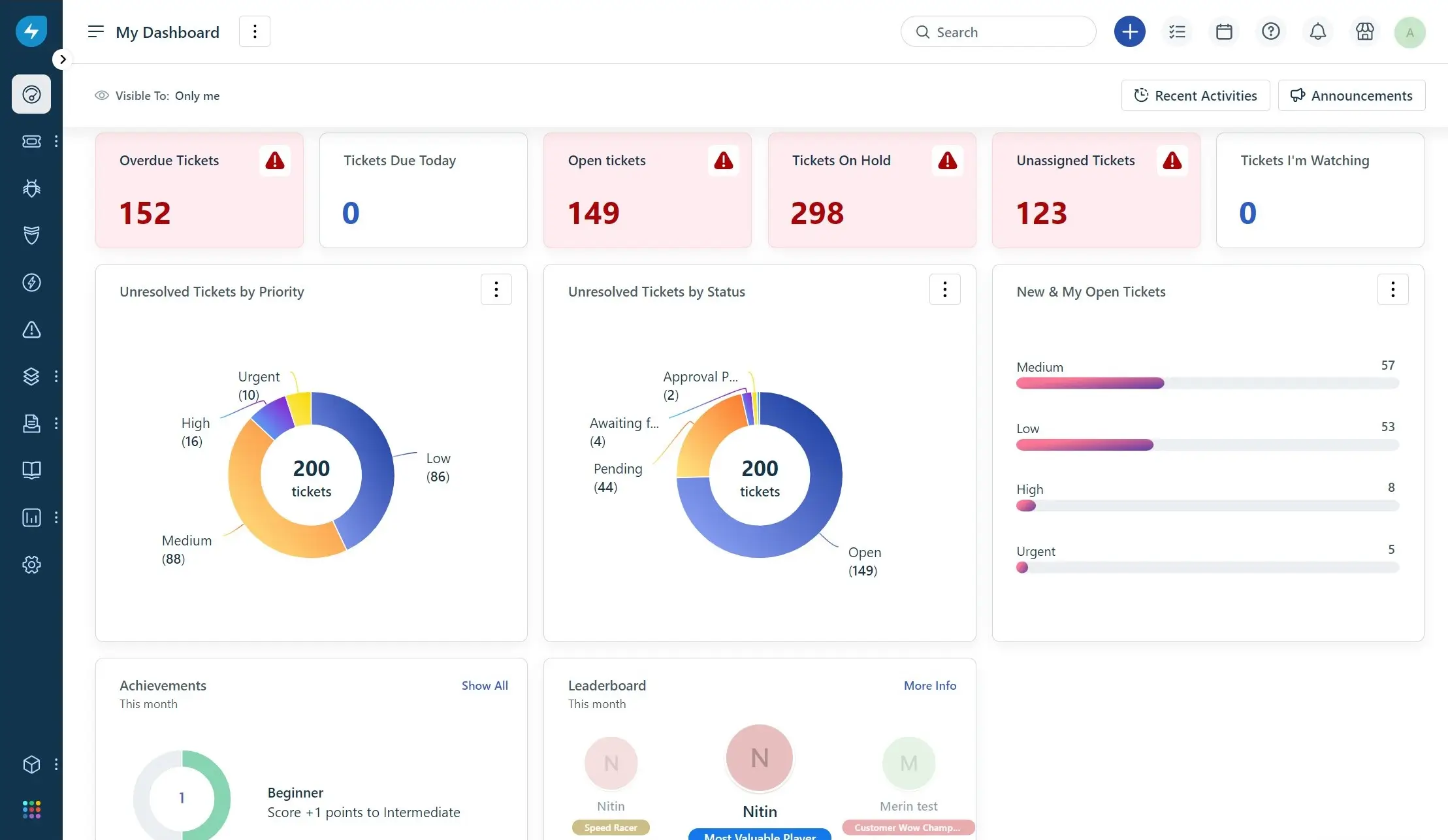
If the reason you're leaving osTicket is that you never want to touch a server again, Freshservice is the usual pick. It's easy to set up, the workflow builder is well liked, and it covers incidents, a service catalog, asset management and integrations with Entra ID and Intune.
Pricing: Starter $19, Growth $49, Pro $99 per agent per month on annual billing, Enterprise by quote. Freddy AI Copilot adds $29 per agent on Pro and Enterprise.
Downsides: cloud only - there's no way to self-host. Going from free osTicket to $49 per agent is a big jump, and problem and change management start at Pro. See our Freshservice alternatives guide if you want to compare further.
6. ManageEngine ServiceDesk Plus
Best for: IT departments that want classic ITIL processes on-premises, on a budget.
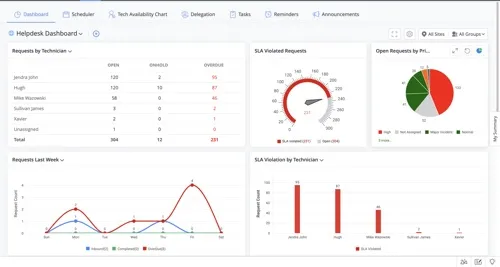
ServiceDesk Plus is one of the few commercial tools that still takes on-premises seriously. It covers incidents, problems, changes, a service catalog, CMDB and asset management, and connects to the rest of ManageEngine's IT tools.
Pricing: cloud plans start from $13 (Standard), $27 (Professional) and $67 (Enterprise) per technician per month. On-premises pricing is by quote. The Standard edition is free for up to 5 technicians.
Downsides: the interface is dense and dated, and many ITIL modules are add-ons. Self-hosted upgrades need care - failed service packs come up in reviews. Get a real quote before comparing.
Migrating Your osTicket Data
osTicket keeps everything in MySQL, and you can export queues to CSV. Most tools on this list import users and tickets from CSV, and those with a full API (Jitbit, Zammad, FreeScout) can take the rest - attachments, history, knowledge base articles - through a script. None of the tools here has a one-click osTicket importer, so budget a day or two for mapping fields, categories and statuses.
Our advice: decide early what really needs to come across. Many teams import open tickets, users and the knowledge base, and keep the old osTicket install running read-only for history.
How to Choose
- Want to stay self-hosted, with a modern API, automation and AI? Jitbit - one-time license, runs on Windows or Linux.
- Must stay open source? Zammad for customer support, GLPI for IT with asset inventory.
- Small team, zero budget, mostly email? FreeScout.
- Done with servers for good? Freshservice, or Jitbit's cloud version if you'd rather not pay per agent.
- Need formal ITIL on-premises? ManageEngine ServiceDesk Plus or GLPI.
- Happy with a plain ticket queue and someone who enjoys running it? Stay on osTicket. Not every working system needs replacing.
Also moving off another self-hosted tool? See our OTRS alternatives guide, the self-hosted helpdesks for Linux overview, or the full list of comparisons.
Download the self-hosted trial and run it next to your osTicket install, or start a free cloud trial - no credit card either way. A week of real tickets will tell you more than any comparison page, including this one.
Explore Jitbit Helpdesk
Helpdesk features Hosted vs On-Premises Zendesk vs. Jitbit Compare alternatives Outlook Help Desk A Simple Support Ticket System System Requirements MS Teams and other integrations Help Desk Demo Email ticketing system GDPR Compliant Help Desk Software How does it work? ASP.NET help desk Helpdesk API Case Studies Customer reviews User guide FAQ Version history Download now Pricing