What Is Jitbit Helpdesk? Email-First Help Desk Software
Jitbit Helpdesk is an email-first help desk ticketing system built for support teams that want speed without complexity. It monitors your support mailbox, converts incoming emails into trackable tickets and gives your agents everything they need to resolve issues fast - automation, a knowledge base, live chat and 500+ integrations - all in a clean, clutter-free interface.
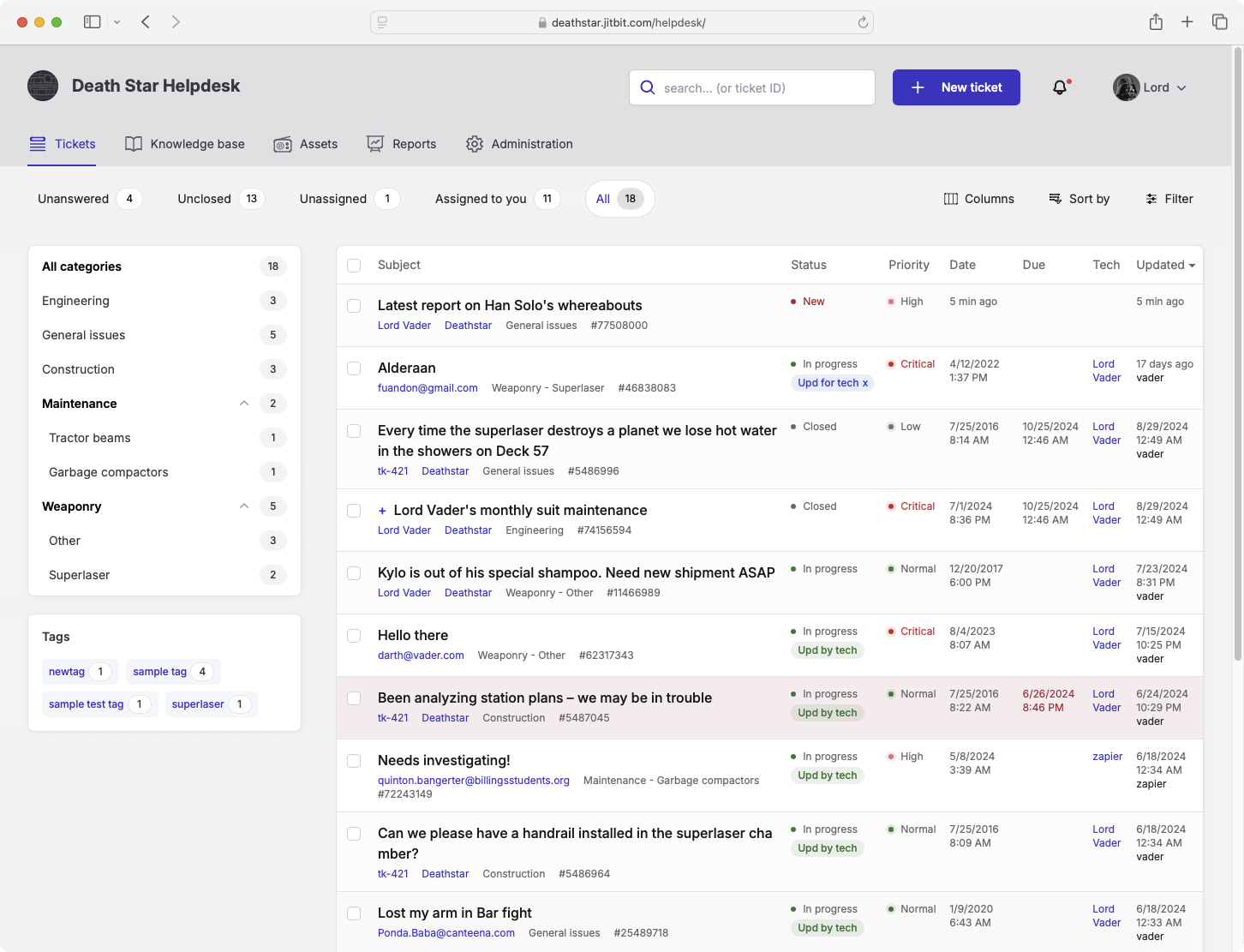
Email-Based Ticketing at the Core
Most help desk tools treat email as an afterthought. Jitbit Helpdesk is built around it. Connect your support mailbox via POP3, IMAP or Exchange, and every incoming message becomes a ticket automatically. Replies from customers are threaded into the right conversation. File attachments, inline images and CC'd recipients carry over seamlessly.
From your customers' perspective, they are simply sending and receiving emails. From your team's side, it is an organized email ticketing system with categories, assignments, SLA tracking and collision detection so two agents never grab the same request.
Built-In Automation Engine
Jitbit's automation engine uses simple "if this, then that" rules to eliminate repetitive work. You can auto-assign tickets based on keywords, escalate overdue requests, send SLA breach alerts or trigger webhooks to external systems. Teams use it for everything from basic routing to building advanced chatbot workflows - no coding required.
Knowledge Base and Self-Service Portal
Reduce ticket volume before it reaches your team. Jitbit includes a built-in knowledge base where you publish FAQs, how-to guides and troubleshooting articles. When customers create a ticket, the system automatically suggests relevant articles - powered by AI and machine learning - so many issues resolve themselves without agent involvement.
Live Chat Widget
Add a support widget to your website or app with a single line of JavaScript. Visitors can start a live chat conversation or submit a ticket through an embeddable form. Every chat session is archived as a ticket, so nothing falls through the cracks.
Reporting and Asset Management
Track the metrics that matter with Jitbit's built-in reports - first response time, resolution speed, agent workload, time-of-day distribution and more. Export to Excel or CSV, or use the custom report builder to create exactly the view you need. The asset management module lets you track company hardware, network devices and software licenses and link them directly to tickets for faster troubleshooting.
SaaS or On-Premise - Your Choice
Jitbit Helpdesk is available as a cloud-hosted SaaS solution (recommended for most teams) or as an on-premise installation you deploy on your own servers. Both versions share the same feature set. The on-premise option is ideal for organizations with strict data residency or compliance requirements.
500+ Integrations
Jitbit connects with the tools your team already uses. Native integrations include Jira, GitHub, Slack, Microsoft Teams, Basecamp, WhatsApp, Zapier and hundreds more. For teams that need deeper customization, a well-documented REST API lets you build any workflow you can imagine. You can also add custom JavaScript and CSS directly from the admin panel - or purchase the full C# source code for complete control.
Who Is Jitbit Helpdesk For?
Jitbit Helpdesk is used by support teams of all sizes - from small businesses handling a few dozen tickets a day to enterprise organizations managing thousands. It works equally well for external customer support, internal IT help desks and managed service providers.
Ready to see it in action? Try the live demo or watch the 5-minute walkthrough video to see how Jitbit Helpdesk can streamline your support operations.
Explore Jitbit Helpdesk
Helpdesk features Hosted vs On-Premises Zendesk vs. Jitbit Compare alternatives Outlook Help Desk A Simple Support Ticket System System Requirements JIRA and other integrations Help Desk Demo Email ticketing system GDPR Compliant Help Desk Software How does it work? HelpDesk Source Codes ASP.NET help desk Helpdesk API Case Studies Customer reviews User guide FAQ Version history Download now Pricing